16px is not a Typography System.
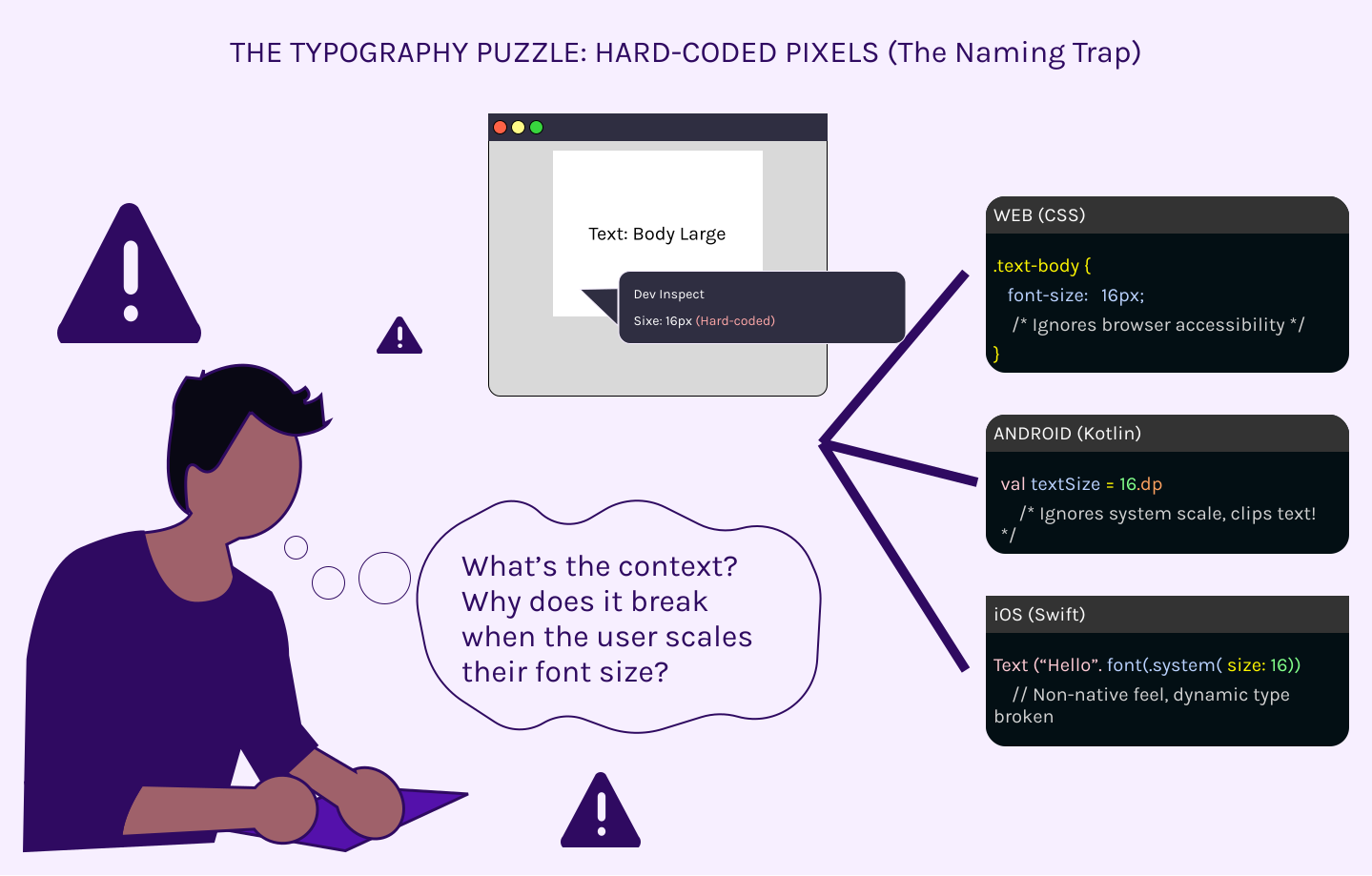
If your design handoff consists of a dev inspecting a text box and seeing "16px," you aren't providing a spec. You’re providing a puzzle.
In a Post-Series A SaaS, typography isn't just about picking a nice sans-serif. It’s about orchestrating scaling logic across three entirely different rendering engines.
The Platform Mismatch
When you hard-code font sizes, you break the user experience:
On Web: If you aren't using rem, you’re ignoring the user’s browser accessibility settings.
- On Android: If you aren't defining sp (scale-independent pixels), your UI will clip when a user increases their system font size.
- On iOS: If you aren't mapping to Apple’s dynamic type scales, your app feels like a "wrapped website," not a native tool.
The Architect’s Approach: The Unit-Agnostic Scale
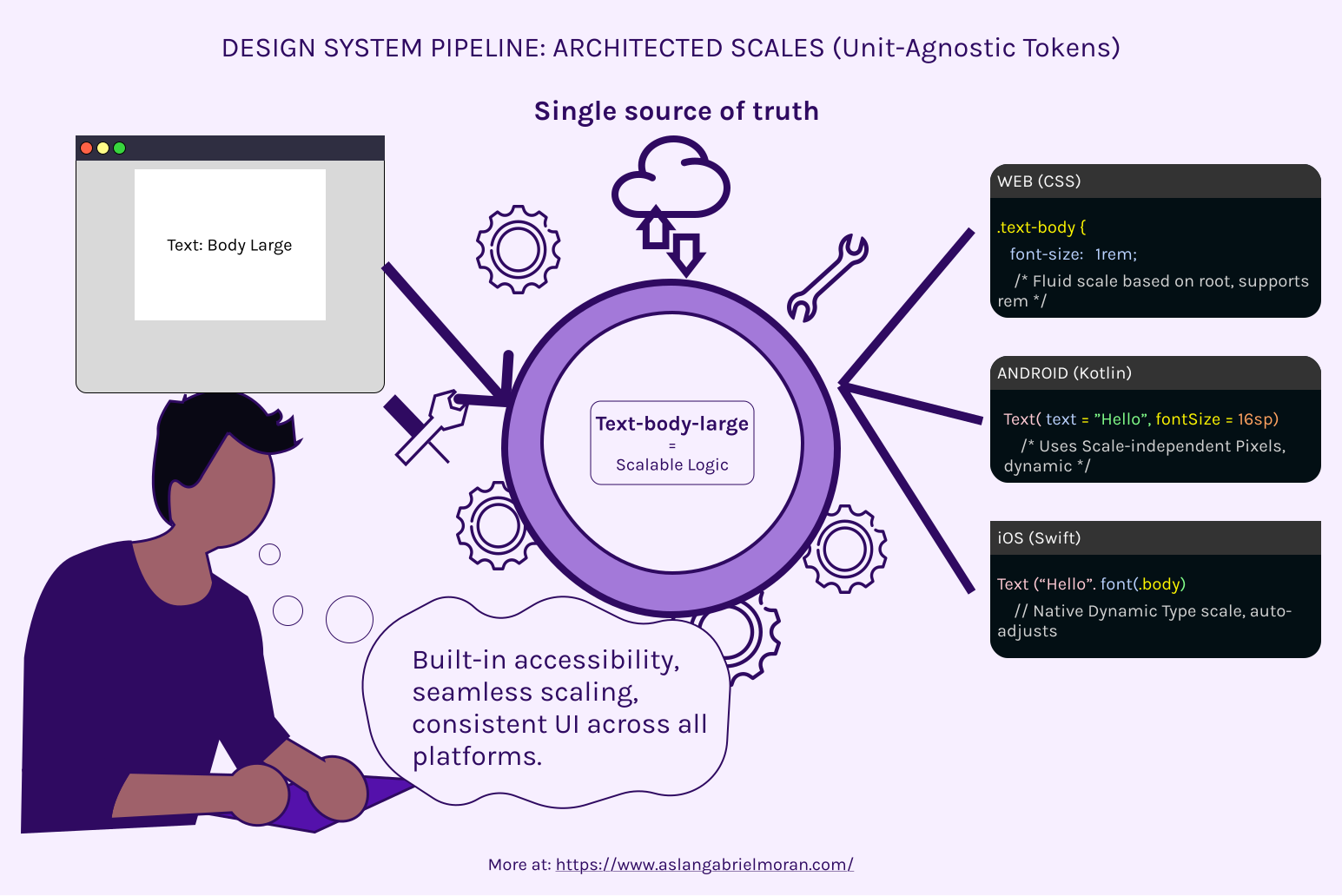
We don't hand off "Point Sizes." We hand off a Typography Pipeline.
We define a human-logical scale (e.g., text-body-large or heading-display-01) on paper first. Then, we architect the translation
- Web: The token outputs a rem value based on a fluid 16px base.
- Android: The token outputs a TextUnit object in Kotlin using sp
- iOS: The token outputs a scaled UIFont or SwiftUI Font constant.
Why this matters for Product Leads
When your typography is architected rather than just "designed," your product becomes accessible by default. You stop getting Jira tickets about "text overlapping on Android" or "unreadable labels on small iPhones." You build a system where the font doesn't just look good—it scales correctly, legally, and technically across every device your customer uses.
Stop picking fonts. Start orchestrating scales.
If your team is tired of "visual bugs" that are actually just unit errors, let’s build a real pipeline.
Ready to de-risk your UI? Submit our Design System Intake >> form